Smarter learning, starts here
An AI tutor that explains at your class level, then turns what you just learned into quizzes, timed papers and projects.
- Free to start
- No card needed
- Works on any phone
- No limiton taking quizzes and exams, on every plan including free
- Three waysto ask: type it, say it, or share your screen
- Five subjectsMaths, Physics, Chemistry, Biology and English
- No installruns in the browser, add to your home screen if you want
What it does
Eight ways in, one tutor behind them
Being stuck does not always come with the right words, so there is more than one way to ask.
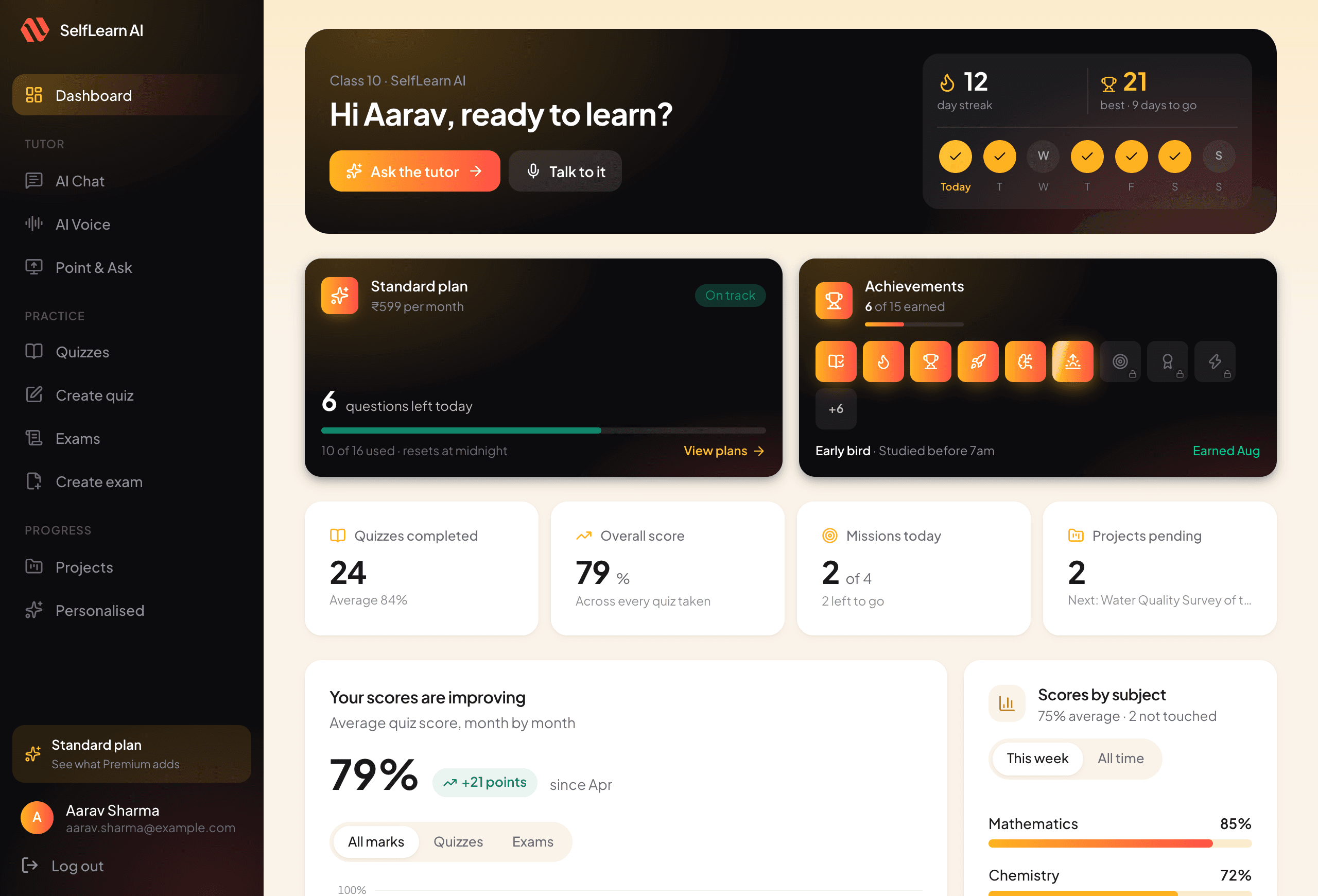
Your dashboard
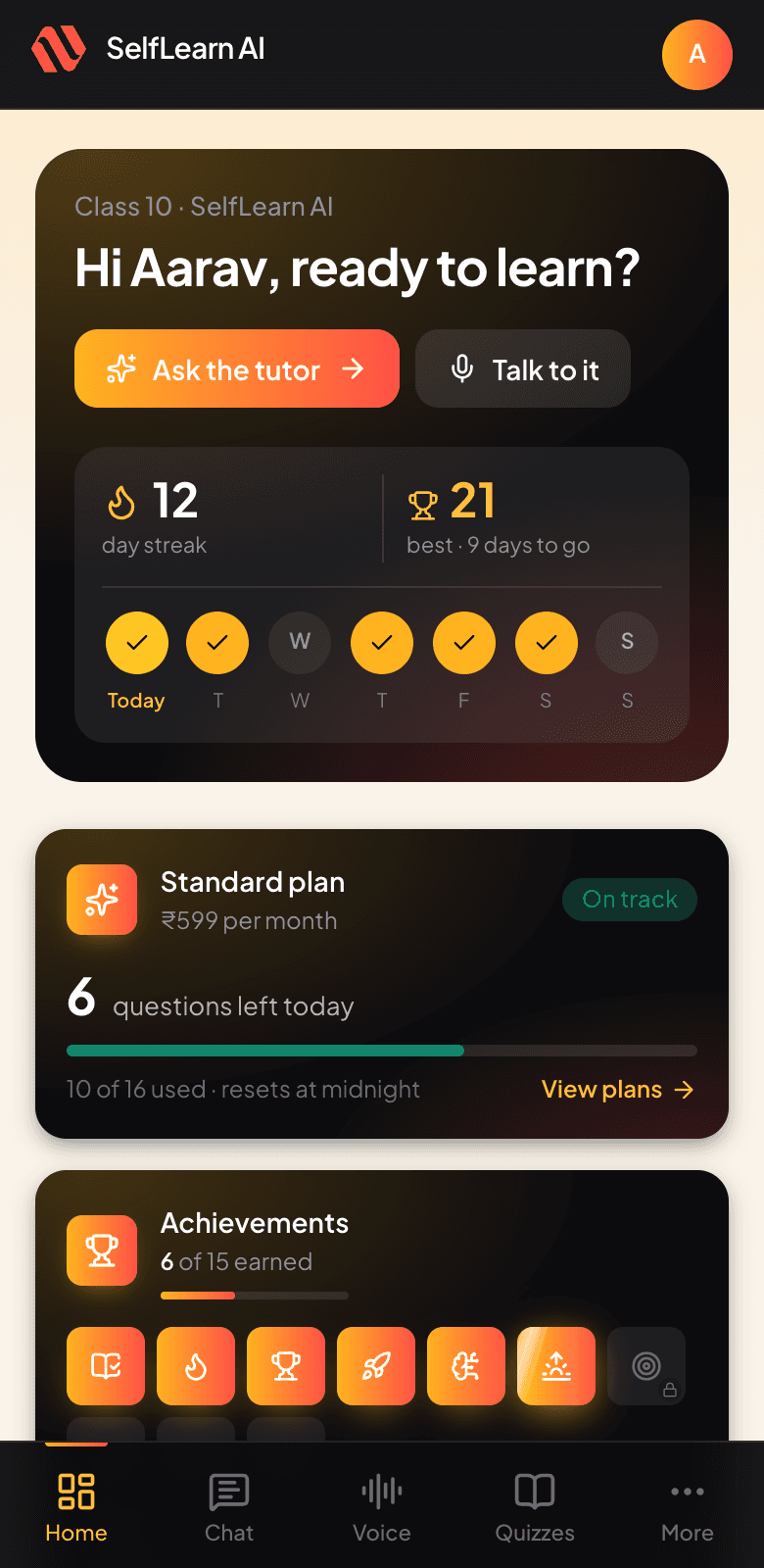
Where you left off, what is due, how the marks are trending and what the streak looks like. The one screen that answers "what should I do now" without you having to go looking.
How it works
Four steps, and the fourth one repeats
The point is not to answer one question. It is to stop the same question coming back.
Tell it where you are
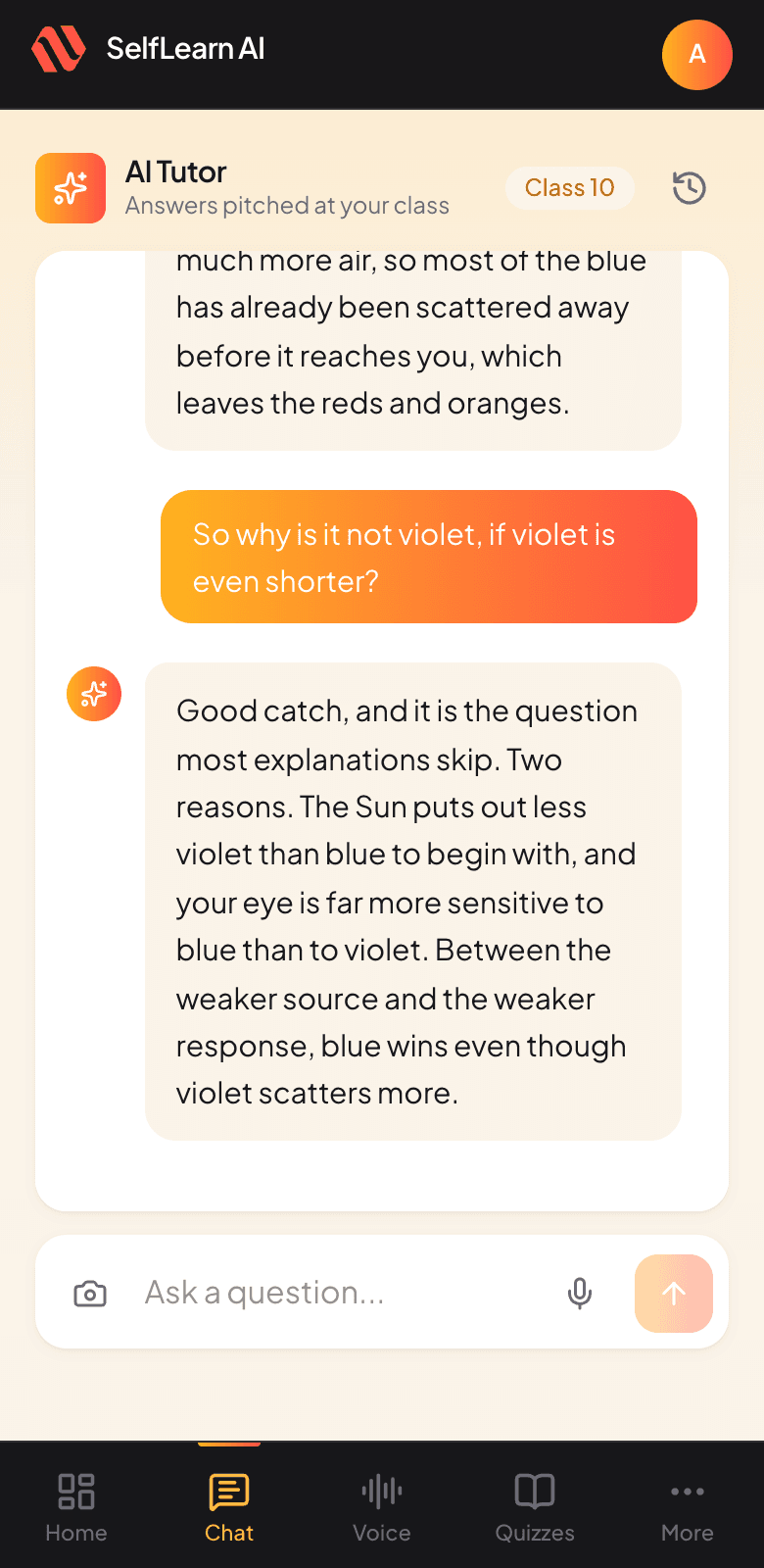
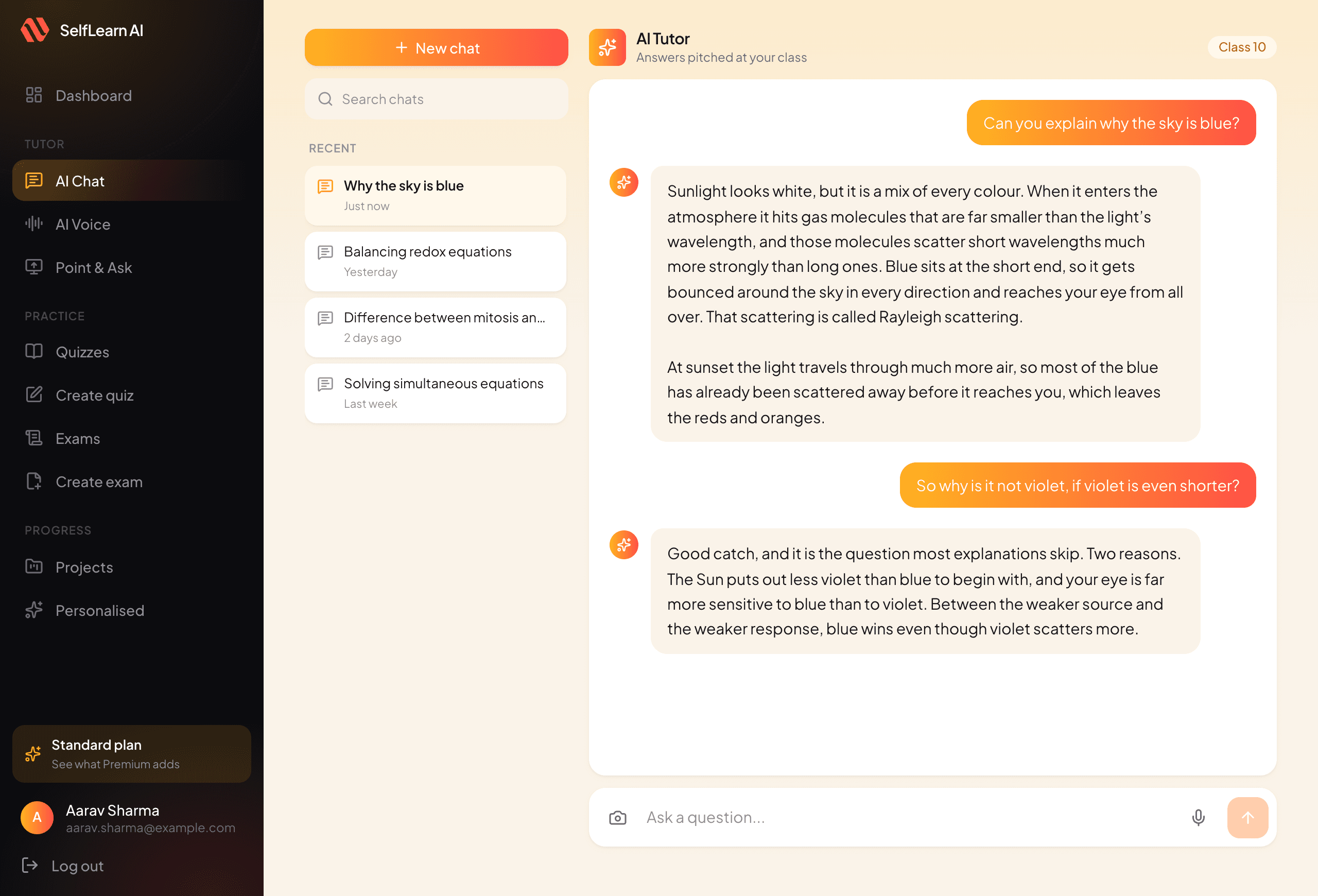
Pick your class and subject once. Every answer after that is pitched at your level rather than at nobody in particular.
Ask however suits you
Type it, say it out loud, or share your screen and point at it. Three ways in, because being stuck does not always come with the right words.
Practise what you just learned
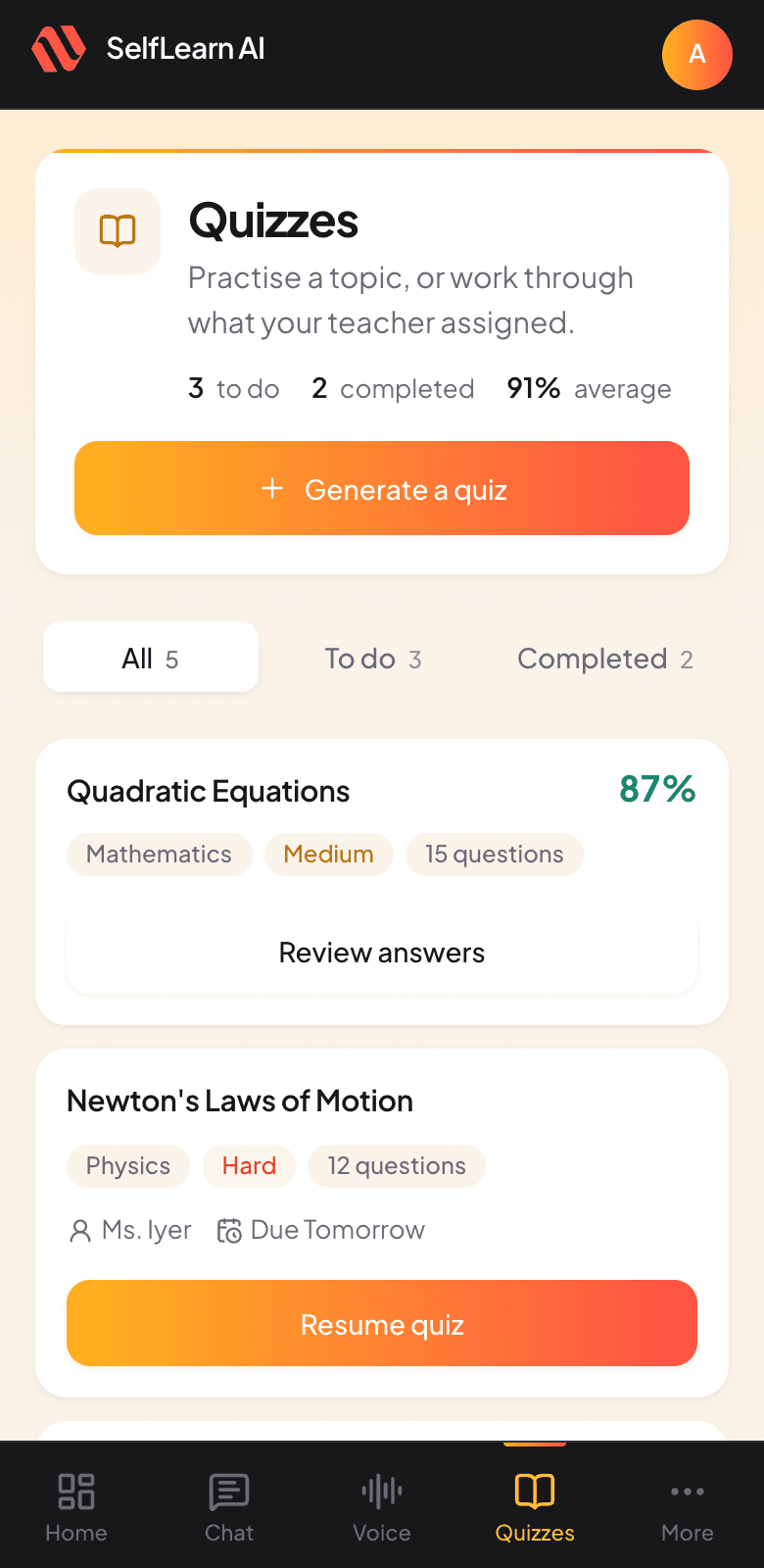
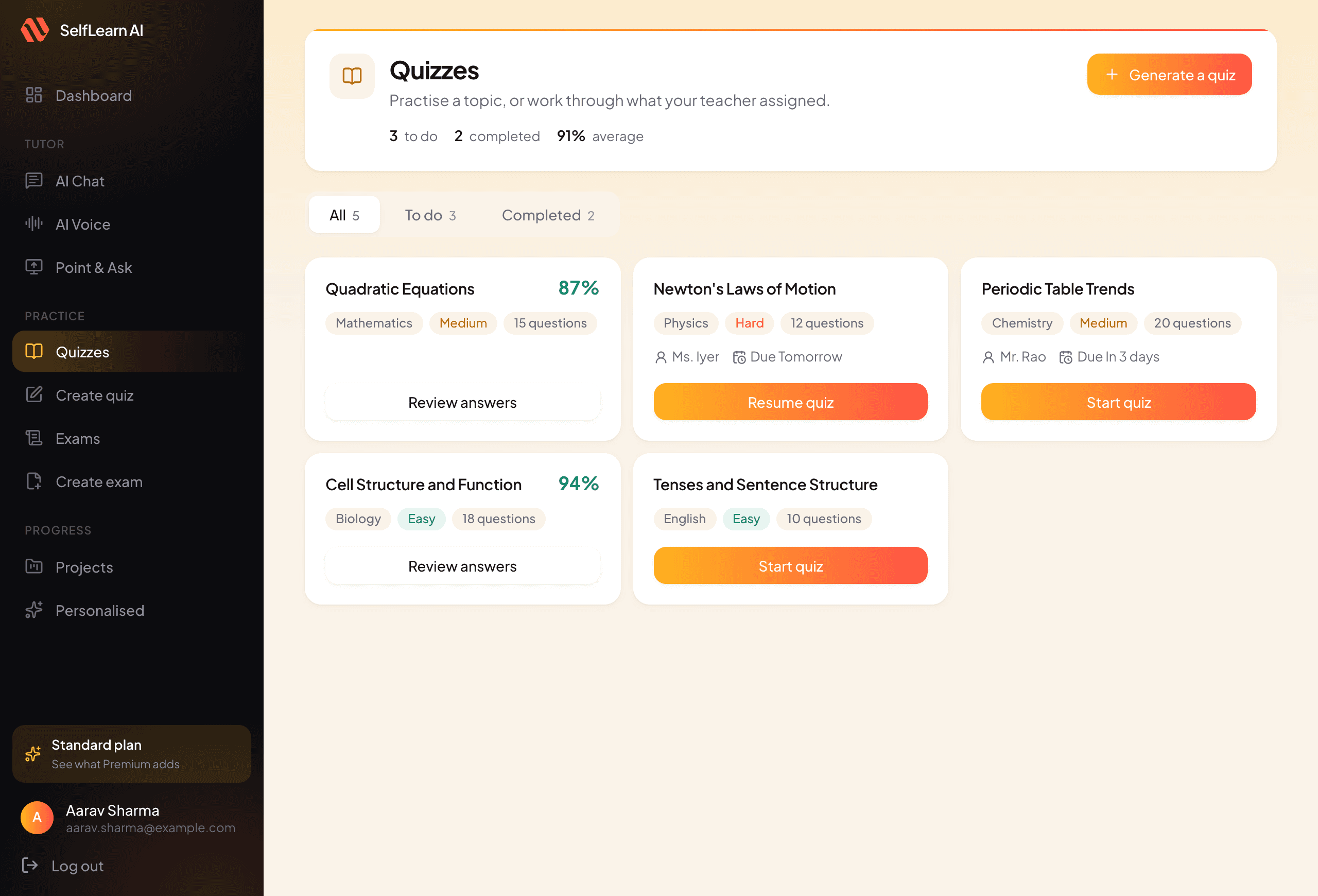
Turn the thing you were stuck on into a quiz, a timed paper, or a project, so the explanation becomes something you can actually do.
Watch the gaps close
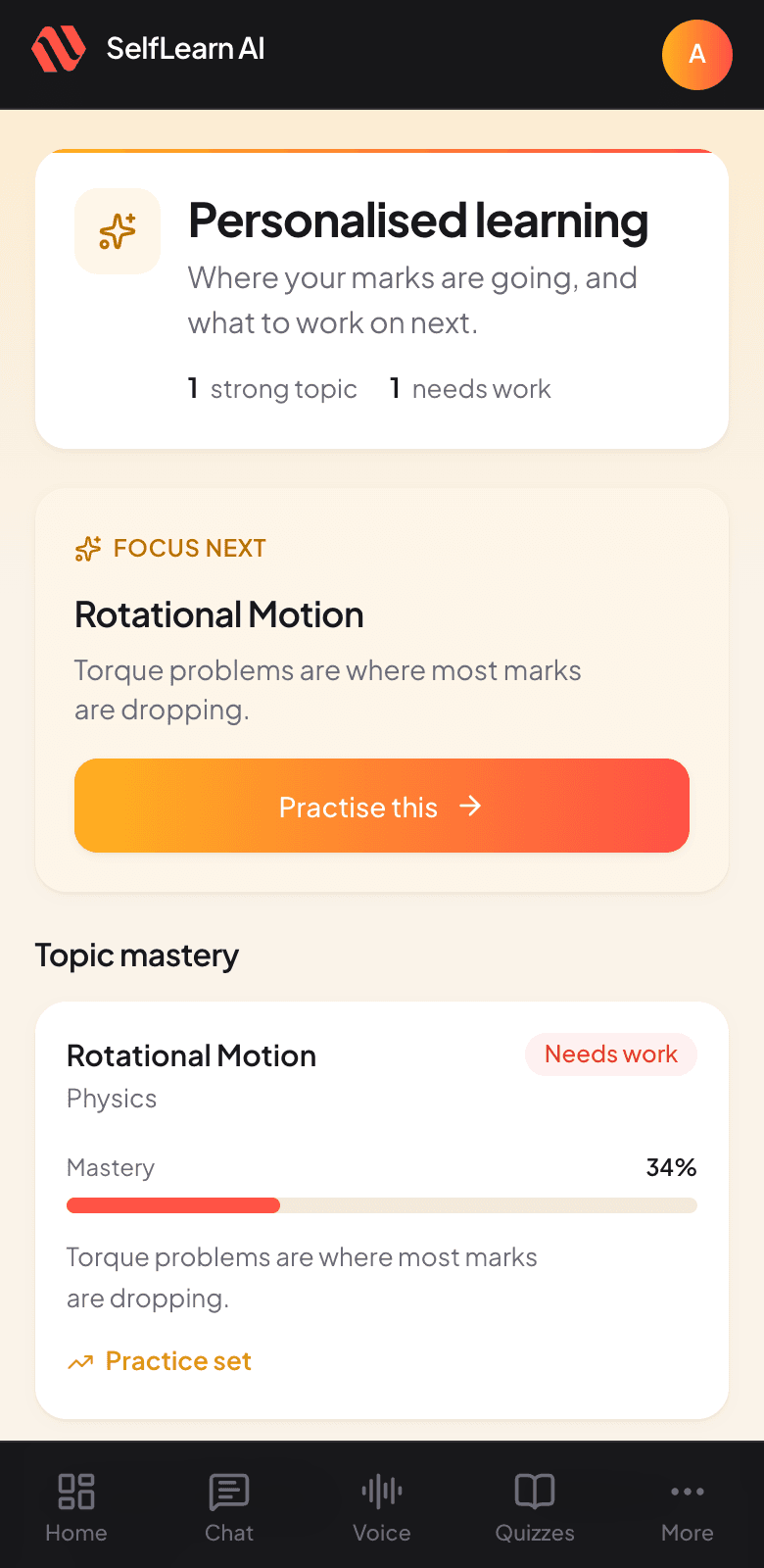
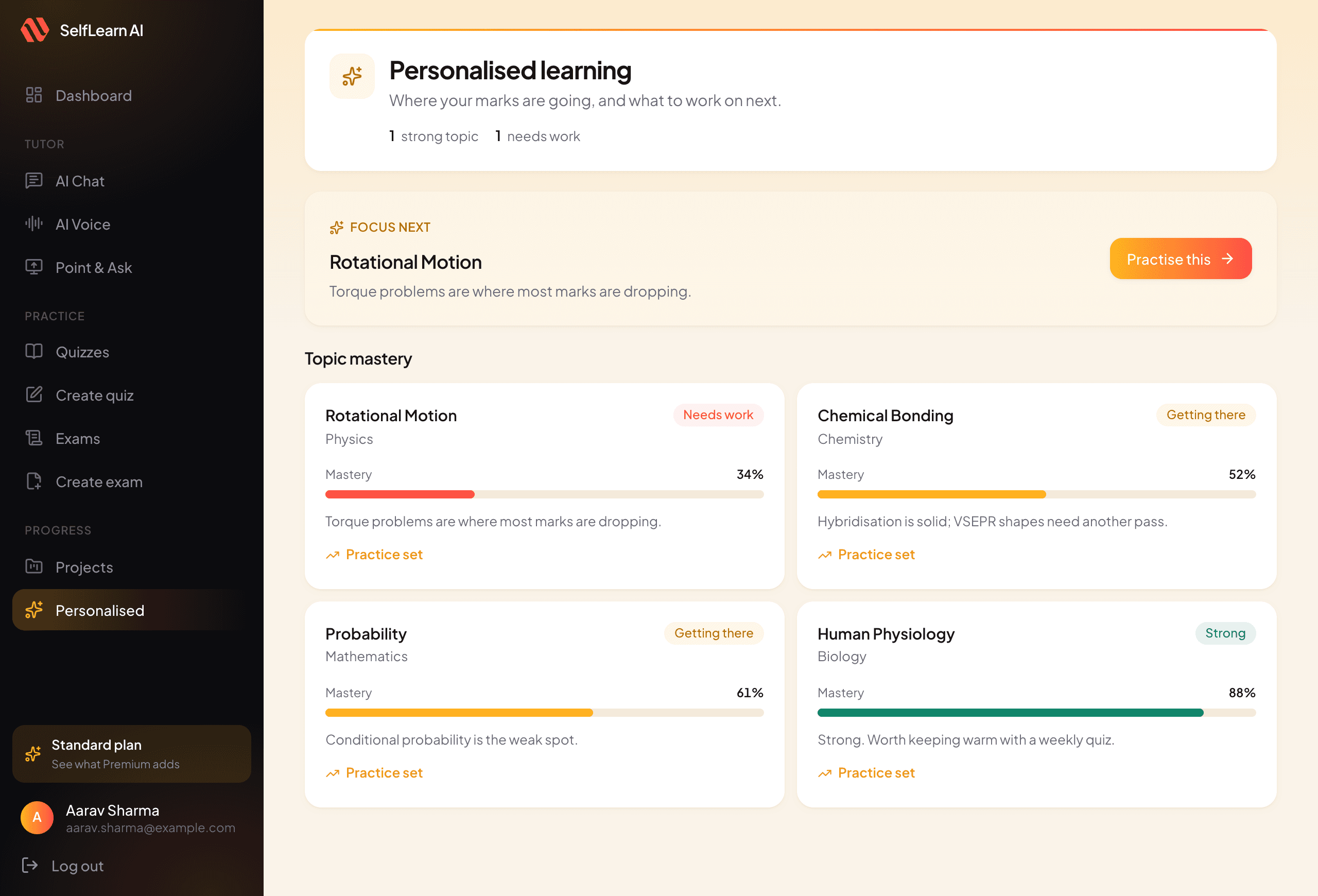
Your results build a topic-by-topic picture of where the marks are going, and tell you what to work on next.
then round again
Why not just search
A search answers someone else's question
Searching is quicker for a definition. It stops being quicker the moment you are actually stuck.
Whose question it answers
Someone else’s, asked years ago, at a level you did not chooseYours, pitched at the class you are actually inWhen you still do not get it
Open another tab and read the same explanation againAsk it to go simpler, and it explains it a different wayShowing it the problem
Type the question out, symbols and all, and hopeShare your screen or a photo and point at itWhat happens next
You close the tabIt turns the topic into a quiz, a timed paper or a projectWhether it remembers
Nothing. Every search starts from zeroYour history, your marks, and the topics costing you marks
Pricing
Take quizzes and exams as often as you like
What changes between plans is how much you can ask the tutor each day, and how many new questions it writes for you.
Free
Enough to see whether it helps, at no cost.
₹0Free forever
- 10 tutor questions a day
- 1 Point & Ask question a day
- 5 new practice questions a day
- One free voice lesson to try
- Take quizzes and exams as often as you like
Standard
Most chosenFor a student using it most days of the week.
₹599/ month₹999Save ₹400- 40 tutor questions a day
- 5 Point & Ask questions a day
- 15 new practice questions a day
- A minute of voice a day, unused minutes kept
- Take quizzes and exams as often as you like
Premium
For exam season, when you lean on it every day.
₹1,999/ month₹3,000Save ₹1,001- 150 tutor questions a day
- 15 Point & Ask questions a day
- 40 new practice questions a day
- 2 minutes of voice with the tutor every day
- Take quizzes and exams as often as you like
Prices in Indian rupees, billed monthly. Change or cancel any time.
What people say
Students, parents and the odd teacher
I used to get stuck on a maths problem and wait until class the next day. Now I just ask, and it explains it step by step, sometimes three different ways. My marks went up, but mostly I actually understand it.
My daughter used to wait for her tuition day to ask anything. She asks here instead, and it explains it more simply than her textbook does. Her grades improved, but the confidence changed more.
The voice mode is the part I use most. It is like talking to a friend who never gets tired of the question, and I can practise out loud instead of reading the same page again.
I point students at it for the practice papers. The report afterwards tells them which topic cost them the marks, which is the conversation I never have time for with thirty of them.
FAQ
Questions people ask first
A tutor that works the way a good one does: you ask, it explains at your level, and then it gives you something to practise on. It covers homework, quizzes, timed papers and longer projects.
Mathematics, Physics, Chemistry, Biology and English, across school classes. You pick the class, and answers are pitched there rather than at a general audience.
A search gives you somebody else’s explanation of a different question. This one knows your class, remembers what you asked before, will re-explain the same thing more simply, and can turn it into practice.
It answers schoolwork questions and stays on that ground. Accounts are per student, conversations are private to the account, and there is no public feed or messaging between users.
No. It runs in the browser on any phone, tablet or computer. You can add it to your home screen on Android or iPhone, and it then opens full screen like an app.
Your daily counts reset at midnight. In the meantime you can take any quiz or exam you already have as often as you like: taking them is never limited, on any plan.
Contact us
Still have a question?
Send us a message and we will get back to you. It goes straight to the team.
Try it on the thing you are stuck on right now
Free to start, no card needed. It runs in the browser, and you can add it to your home screen if you want it to open like an app.